Why Pay More For A Video Rocket???

Collapse
X
 
  • Time
  • Show
Clear All
new posts
  • Leo
    German Model Rocket Builder
    • Sep 2005
    • 1313
    • Germany

    #496
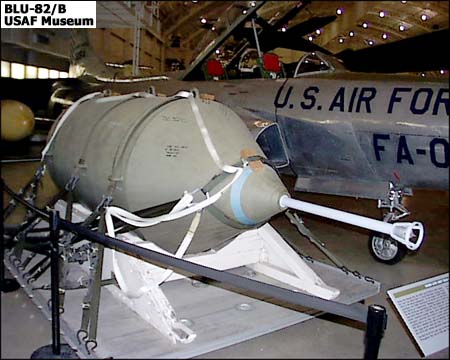
    Too much work Doug.

    Use this
    Leo

    My rocket fleet and more @ Leo's Leisure Site and on YouTube - My latest project: ALTDuino

    Comment

    • tbzep
      Dazed and Confused
      • Mar 2005
      • 12833
      • TN

      #497
      Not enough oomph.

      How bout a daisy cutter?


      Or maybe the mother of all chainsaws?

      I love sanding.

      Comment

      • barone
        Master Modeler
        • Apr 2005
        • 3391
        • Bartlett, TN

        #498
        Originally posted by zog139
        The camera I have is the black one with the pocket clip on the front


        I am still not sure what you mean when you reference the "file" and how it varies ? My camera does not have any internal memory. I have not gotten a new micro-sd card yet. So I can not even get into it wiithout a micro-card installed.

        My first one was left at the top of an 80' tree a few weeks ago. So it has now become a part of a test to see what happens after hanging in a tree for over a month through wind rain and snow. Sooner probably later I hope to get it back, I dont think the camera is going to survive the elements, dont know what to think about the micro-sd card ?
        Jim,

        Earlier in this link, a file was provided that is copied to the SD card. It sets the time and date for you. I'd look for it for you but you see how many posts are here already?
        Don
        NAR 53455
        "Carpe Diem"

        Comment

        • kevinj
          Not so Junior
          • Apr 2009
          • 542

          #499
          I think I saw Craig's house in that video!

          kj


          Originally posted by rokitflite
          FINALLY!!! I got the new computer up and running and was able to get one of my higher altitude flights with the gum cam up on youtube! This flight was made at the last Red Glare with a 2 staged model staged D12 to E9. Zog319 (Jim Filler) and I had quite a walk to retrieve it as it drifted about 1/2 a mile from the launch site (MDRA REALLY needs to alow for angling of the launch rods on the low power pads!!!). Thank goodness for Jim's excellent tracking abilities or this model would never have been found! The video is slowed to 40% actual speed.

          http://www.youtube.com/watch?v=v9euw9wLEBs

          Comment

          • zog139
            Rocketry is Fun.... Darn It !
            • Mar 2007
            • 220
            • Maryland

            #500
            Originally posted by barone
            Jim,

            Earlier in this link, a file was provided that is copied to the SD card. It sets the time and date for you. I'd look for it for you but you see how many posts are here already?

            Yeah this thread is sorta like "Godzilla" huge , unruly, and can't do anything with it


            Has anybody tried to remove the date and time ?
            Jim Filler
            NARHAMS # 139
            NAR CB - RCPC

            Comment

            • zog139
              Rocketry is Fun.... Darn It !
              • Mar 2007
              • 220
              • Maryland

              #501
              Originally posted by Doug Sams


              Or maybe...


              Doug

              .

              Doug,,,,,,, those look way to dangerous to play with ..... kind of like how rockets are dangerous

              Jim
              Jim Filler
              NARHAMS # 139
              NAR CB - RCPC

              Comment

              • Leo
                German Model Rocket Builder
                • Sep 2005
                • 1313
                • Germany

                #502
                Originally posted by zog139
                ...
                Has anybody tried to remove the date and time ?
                With one of my gum cams I removed the the time and date by adding an N at the end of the line.
                Leo

                My rocket fleet and more @ Leo's Leisure Site and on YouTube - My latest project: ALTDuino

                Comment

                • rokitflite
                  Master Modeler
                  • Mar 2005
                  • 952

                  #503
                  Originally posted by zog139
                  Yeah this thread is sorta like "Godzilla" huge , unruly, and can't do anything with it
                  I was only trying to help my fellow rocketeer... Please don't hate me .
                  Scott

                  NAR #32070

                  Comment

                  • stantonjtroy
                    Scale builder
                    • Dec 2006
                    • 208
                    • Maryland

                    #504
                    Don't worry Scotty, We still love you . Thanks for the timeline info Jim, I'm probably going to go down to the hobby shop and get one from Scott. If the other shows, great; I wanted a couple anyway. (read Maggie wants one of her own )

                    Comment

                    • BEC
                      Master Modeler
                      • Feb 2009
                      • 4328
                      • Auburn, Washington

                      #505
                      Originally posted by Leo
                      With one of my gum cams I removed the the time and date by adding an N at the end of the line.
                      That approach was suggested in the big RC Groups thread...but it didn't work on the gum cam I tried it on (the one more recently acquired). I should really try the other one as well. It has different colored LEDs on the back, perhaps the software is different and the "N" trick will work on it.

                      To the person who wanted to know how to set the time: I know of two similar ways:

                      For the gum cams as I have gotten you create a text file called time.txt in the root directory of the memory card. The file has one line in it that is formatted as follows:
                      yyyy.mm.dd.hh.mm.ss

                      The next time you power up the camera it will read those values and set the time/date accordingly, and the file will disappear.

                      This is described in post 186 of this thread.

                      The other way, which is used by the key fob camera I just received, is to create a text file called tag.txt with the following format:

                      [date]
                      yyyy/mm/dd
                      hh:mm:ss

                      Again, the file disappears when the camera is next powered up but the date/time is changed.

                      BTW, my particular key fob camera seems to do a nice sharp job. It MAY get flown tomorrow (weather permitting).
                      Bernard Cawley
                      NAR 89040 L1 - Life Member
                      SAM 0061
                      AMA 42160
                      KG7AIE

                      Comment

                      • JSP
                        ACE DISASTER COMPANY
                        • Feb 2006
                        • 220
                        • Rowlett (Dallas area)

                        #506
                        Ok, I just got mine. (ordered Nov 21, so pretty fast service) When I plug it into my computer with the USB to charge it all my computer says is "Device not Recognized." There is a small CD with drivers on it that I have tried to install, but I'm not sure that did anything. I have Vista (yeah, I know) Any ideas?
                        J. Stuart Powley
                        NAR 29573
                        "Gravity is a harsh mistress."

                        Comment

                        • BEC
                          Master Modeler
                          • Feb 2009
                          • 4328
                          • Auburn, Washington

                          #507
                          Just got that with the key fob camera until I put a card in it (and once after - unplug/replug). This on XP Pro.
                          Bernard Cawley
                          NAR 89040 L1 - Life Member
                          SAM 0061
                          AMA 42160
                          KG7AIE

                          Comment

                          • Doug Sams
                            In Memoriam
                            • Mar 2005
                            • 3965
                            • Plano, TX resident since 1998.

                            #508
                            Semroc parts for faux Cineroc

                            Got a package from Semroc today - ooh rah! Here's the faux Cineroc setup along with the camera. I haven't studied the camera yet, but at first glance, it appears that little hole above the clip is the lens.

                            The nosecone and transition were packed in resealable plastic bags which I've already recycled You can see the one for the nosecone makes a nice container for the camera accessories.

                            My current plan is to have the camera protruding thru the side of the Cineroc bay. I'll build a fairing to streamline it, but I suspect it'll have to be a little oversize versus the actual Cineroc fairing. Doug


                            .
                            YORF member #11

                            Comment

                            • kevinj
                              Not so Junior
                              • Apr 2009
                              • 542

                              #509
                              Originally posted by JSP
                              Ok, I just got mine. (ordered Nov 21, so pretty fast service) When I plug it into my computer with the USB to charge it all my computer says is "Device not Recognized." There is a small CD with drivers on it that I have tried to install, but I'm not sure that did anything. I have Vista (yeah, I know) Any ideas?
                              Dpends on what you want to do. If you just want to plug it in to view vids you've taken, make sure it's turned off befor eyou plug it in.

                              If you want to use it as a camera while it's plugged into the PC, install the divers first, then turn it on and then plug it in.

                              That seems to have been the steps I used.

                              kj

                              Comment

                              • JRThro
                                BAR Wannabee
                                • Mar 2005
                                • 1304
                                • NW Houston, TX

                                #510
                                Originally posted by kevinj
                                Dpends on what you want to do. If you just want to plug it in to view vids you've taken, make sure it's turned off befor eyou plug it in.

                                If you want to use it as a camera while it's plugged into the PC, install the divers first, then turn it on and then plug it in.

                                That seems to have been the steps I used.

                                kj
                                Mine also gives different results depending on whether it's in video or photo mode. Photo mode lets it be a webcam (once you install the drivers), and video mode lets it be a removable drive so you can look at the videos or photos that are on it.
                                John Thro, NAR #84553 SR
                                I was too old when I started! Now I'll *never* become a BAR!

                                Comment

                                Working...